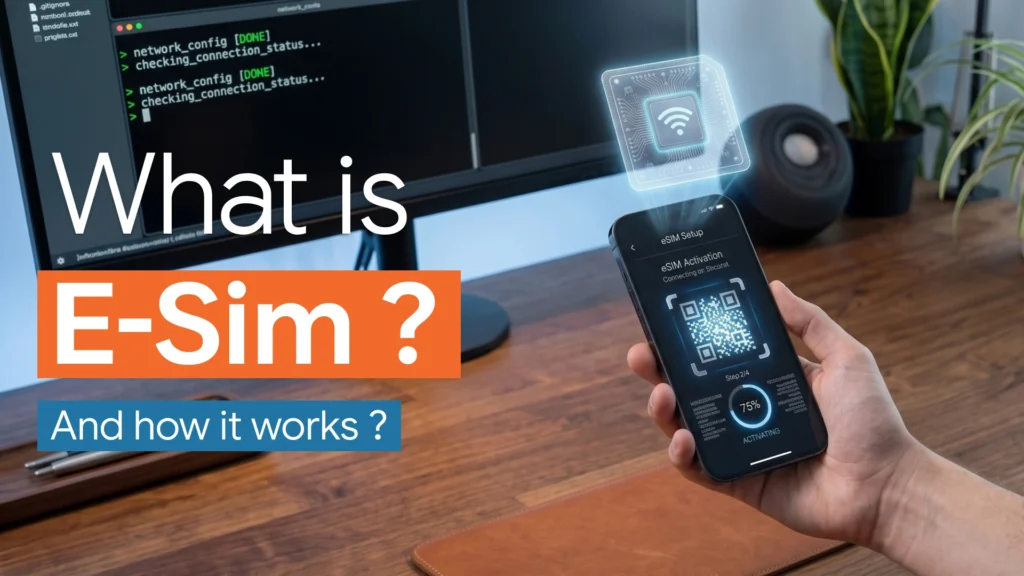
An eSIM is one of those technologies many people use without fully understanding.
You may see it when buying a new iPhone, setting up an Android phone, activating a smartwatch, or buying mobile data before traveling. Instead of inserting a small physical SIM card into your device, you scan a QR code or activate a mobile plan digitally.
That is eSIM.
In simple terms, an eSIM is a digital version of the traditional SIM card. It is built into the device and can store mobile carrier profiles that allow your phone or connected device to access a mobile network.
The idea sounds small, but it changes how people connect to mobile networks.
With eSIM, you can activate a mobile plan faster, switch carriers more easily, use more than one number on the same device, and buy travel data without visiting a store or waiting for a plastic SIM card.
But eSIM also has limitations. It depends on device compatibility, carrier support, activation rules, and sometimes regional availability.
So what exactly is eSIM, how does it work, and should you use it?
Let’s break it down clearly.
What Is eSIM?
eSIM stands for embedded SIM.
A traditional SIM card is a small removable chip that you insert into your phone. It identifies you to your mobile carrier and allows your device to connect to the carrier’s network.
An eSIM does the same basic job, but it is built into your device instead of being a removable plastic card.
Apple describes eSIM as an industry-standard digital SIM that lets users activate a cellular plan from a carrier without using a physical SIM card.
GSMA, the mobile industry organization behind global eSIM specifications, describes eSIM as a technology that enables users to activate mobile subscriptions digitally and securely.
So the easiest explanation is this:
A physical SIM is a removable card.
An eSIM is a built-in digital SIM.
Both help your phone connect to a mobile network. The difference is how the carrier information is stored and activated.
How Does eSIM Work?
An eSIM works by downloading a mobile carrier profile onto a secure chip already built into your device.
That carrier profile contains the information your device needs to connect to a mobile network. Instead of receiving a plastic SIM card, you receive a digital activation method.
This may happen through:
A QR code
A carrier app
Automatic carrier activation
Phone-to-phone eSIM transfer
Manual activation details
A travel eSIM provider app
When you activate the eSIM, your phone downloads the mobile plan profile and stores it securely. Once activated, the phone can use that profile to connect to the carrier’s network.
The process usually looks like this:
- You choose an eSIM plan from a carrier or travel eSIM provider.
- The provider gives you a QR code, activation link, or app-based setup.
- You open your phone’s cellular settings.
- You add the eSIM plan.
- Your phone downloads the carrier profile.
- The eSIM activates.
- Your phone connects to the mobile network.
From the user’s point of view, it feels like installing a mobile plan.
Behind the scenes, the phone is securely downloading and storing network credentials that used to live on a physical SIM card.
eSIM vs Physical SIM Card
The main difference between eSIM and physical SIM is the form.
A physical SIM is a removable chip.
An eSIM is built into the device.
But the practical differences go deeper.
| Feature | eSIM | Physical SIM |
|---|---|---|
| Form | Built into the device | Removable plastic card |
| Activation | Digital | Insert card manually |
| Switching plans | Often faster | Requires changing SIM card |
| Travel use | Easy to buy online | Often needs local store or delivery |
| Device space | No SIM tray needed | Requires SIM slot |
| Risk of losing SIM | Lower | Higher |
| Carrier support | Depends on carrier | Very widely supported |
| Transfer | Can be easy or frustrating depending on carrier | Simple: move card to another phone |
| Best for | Travel, dual SIM, fast activation | Simplicity, older devices, easy swapping |
eSIM is more modern and flexible, but physical SIM cards are still useful because they are simple, widely understood, and easy to move between devices.
Is eSIM the Same as a SIM Card?
Yes and no.
Yes, because eSIM performs the same core function as a SIM card. It identifies your mobile subscription and lets your device connect to a carrier network.
No, because it is not a removable card.
A physical SIM stores the subscription information on a small plastic chip. An eSIM stores the profile digitally inside your device’s embedded secure component.
The result is similar: your phone gets mobile service.
The experience is different: instead of inserting a card, you activate the plan digitally.
What Devices Use eSIM?
Many modern smartphones, tablets, smartwatches, laptops, and IoT devices support eSIM.
Common eSIM devices include:
iPhones
Google Pixel phones
Samsung Galaxy phones
iPads
Apple Watches
Cellular smartwatches
Some Windows laptops
Some connected cars
IoT devices
Travel hotspots
Support depends on the exact model, region, and carrier.
Apple supports eSIM on many iPhone and iPad models, with setup methods including carrier activation, eSIM Quick Transfer, QR codes, and carrier apps.
Google says Pixel users can use two SIMs on many Pixel phones, including combinations involving eSIM depending on model and carrier support.
This is important: having a phone that supports eSIM is not always enough. Your mobile carrier must also support eSIM for your device and region.
How to Activate an eSIM
Activating an eSIM is usually simple, but the exact steps depend on your phone and carrier.
On iPhone, Apple lists several activation methods, including eSIM Carrier Activation, eSIM Quick Transfer, QR code setup, carrier app activation, and manual entry.
On Android, the process varies by manufacturer, but usually follows a similar path through mobile network settings. Google’s Pixel support explains that users can add a SIM or eSIM through phone settings, depending on carrier and device support.
A typical eSIM activation process looks like this:
Open your phone settings.
Go to Cellular, Mobile Network, or SIM settings.
Choose Add eSIM or Add mobile plan.
Scan the QR code or use the carrier app.
Confirm the plan details.
Wait for activation.
Choose whether to use the eSIM for calls, texts, mobile data, or travel data.
Most eSIM activations take only a few minutes.
However, some carriers may require identity verification, account login, SMS confirmation, or customer support approval.
Why eSIM Is Useful for Travel
Travel is one of the biggest reasons people use eSIM.
Before eSIM, travelers often had three options:
Use expensive roaming.
Buy a local SIM card after arrival.
Carry a separate hotspot.
eSIM makes this easier.
You can buy a travel eSIM online before your trip, install it on your phone, and activate mobile data when you arrive.
This can be useful for:
Airport arrivals
Short trips
Business travel
Digital nomads
Multi-country travel
Avoiding roaming fees
Keeping your main number active
Using local or regional data plans
For example, you can keep your main SIM for calls and messages while using a travel eSIM for data.
That is one of the strongest everyday use cases for eSIM.
Dual SIM and eSIM
eSIM also makes dual SIM setups easier.
Dual SIM means your phone can use two mobile plans. This is useful if you want separate personal and work numbers, or if you want to use one plan for calls and another for data.
Many phones allow combinations like:
Physical SIM + eSIM
eSIM + eSIM
Primary carrier + travel eSIM
Personal number + business number
Google says Pixel 3a and later Pixel phones can use two SIMs, such as one physical SIM and one eSIM, depending on model and carrier support.
Some newer phones can store several eSIM profiles, but only one or two may be active at the same time depending on the device.
This distinction matters.
Storing many eSIMs is not the same as using all of them at once.
Benefits of eSIM
eSIM has several clear advantages.
The first benefit is convenience. You can activate a plan digitally without waiting for a physical SIM card.
The second benefit is flexibility. You can switch between stored profiles, making travel and dual-number setups easier.
The third benefit is space. Phone makers can reduce or remove the SIM tray, which helps with device design, waterproofing, and internal layout.
The fourth benefit is security. A physical SIM can be removed from a stolen phone, but an eSIM is harder to physically remove. That does not make it impossible to misuse, but it changes the risk.
The fifth benefit is speed. Many eSIM plans can be activated within minutes.
The sixth benefit is sustainability. eSIM reduces the need for plastic SIM cards, packaging, and shipping.
For many users, the biggest real-world benefit is simple:
You can connect to a mobile network faster and with less friction.
Disadvantages of eSIM
eSIM is useful, but it is not perfect.
The biggest disadvantage is compatibility. Not every phone supports eSIM, and not every carrier supports eSIM on every device.
The second disadvantage is transfer friction. Moving a physical SIM from one phone to another is simple. Moving an eSIM may require carrier support, reactivation, or a transfer process.
The third disadvantage is support confusion. Some users find eSIM activation difficult when carriers provide unclear instructions.
The fourth disadvantage is device lock-in. If your phone breaks, transferring an eSIM to a replacement device may be more complicated than removing a physical SIM.
The fifth disadvantage is regional limitations. eSIM availability depends heavily on country, carrier, and device model.
The sixth disadvantage is dependence on digital access. If you lose access to your account or cannot receive verification codes, activation can become frustrating.
eSIM is convenient when everything works.
But when something goes wrong, physical SIM cards can feel easier.
Is eSIM Safe?
eSIM is generally safe when used through trusted carriers and legitimate providers.
The eSIM profile is stored securely on the device, and the remote provisioning process is designed to be secure. GSMA’s eSIM architecture is built around secure provisioning and industry specifications for downloading and managing profiles.
In some ways, eSIM can be safer than a physical SIM because a thief cannot simply remove the SIM card from the phone.
However, eSIM does not eliminate all mobile security risks.
Users still need to protect themselves from:
SIM swap scams
Phishing
Fake eSIM providers
Weak account passwords
Stolen phone access
Carrier account takeover
Malicious QR codes
Untrusted travel eSIM sellers
The safest approach is to buy eSIM plans from trusted carriers or well-known travel eSIM providers, protect your carrier account with strong authentication, and avoid scanning random QR codes.
Can eSIM Be Hacked?
An eSIM is not “easy to hack” simply because it is digital.
The bigger risk is usually not the eSIM chip itself. The bigger risk is account takeover, phishing, social engineering, or carrier-side fraud.
For example, an attacker may try to convince a carrier to move your number to another device. This is similar to traditional SIM swap fraud.
That is why users should secure their mobile carrier account.
Use strong passwords.
Enable two-factor authentication where possible.
Be careful with suspicious messages.
Avoid sharing verification codes.
Contact your carrier quickly if your phone loses service unexpectedly.
eSIM is secure as a technology, but the account around it must also be protected.
eSIM for Business
Businesses can benefit from eSIM because it makes device management easier.
Instead of distributing physical SIM cards to employees, companies can provision mobile plans digitally. This is useful for remote teams, field workers, company phones, connected tablets, laptops, and IoT devices.
Business use cases include:
Employee phone plans
Field service devices
Corporate tablets
Remote work laptops
Connected vehicles
IoT sensors
Temporary project lines
International business travel
Fleet connectivity
For companies, eSIM can reduce logistics. Devices can be activated remotely, and plans can be managed more flexibly.
This is one reason eSIM is important beyond smartphones.
It is part of the future of connected devices.
eSIM for IoT
eSIM is also important for IoT, or Internet of Things devices.
IoT devices often operate in places where replacing a SIM card is difficult. Think of smart meters, industrial sensors, connected vehicles, logistics trackers, medical devices, and remote monitoring equipment.
With eSIM, companies can manage connectivity remotely.
That means a device can be deployed in the field and later receive a new carrier profile without someone physically opening the device to replace a SIM card.
This is one of eSIM’s most powerful long-term uses.
For consumers, eSIM is about convenience.
For IoT, eSIM is about scale.
How to Know If Your Phone Supports eSIM
To check if your phone supports eSIM, you can:
Check your device settings.
Look for “Add eSIM” or “Add mobile plan.”
Search your phone model on the manufacturer’s support site.
Ask your carrier.
Check the device specifications.
Look for an EID number in settings.
The EID is a unique identifier connected to the device’s eSIM capability.
On many phones, you can find it in settings under About Phone, Cellular, Mobile Network, or SIM status.
But remember: support depends on both the phone and the carrier.
A phone may support eSIM technically, but your carrier may not support eSIM activation for that model or country.
How Many eSIMs Can a Phone Have?
Many modern phones can store multiple eSIM profiles, but the number depends on the device.
Some phones can store several eSIM plans and let users switch between them. However, only one or two plans may be active at the same time.
This is useful for people who travel often.
You might store:
Your main number
A work number
A Europe travel plan
A United States travel plan
A data-only eSIM
A temporary business line
You do not need to delete and reinstall every time. You can keep profiles stored and switch when needed, depending on device support.
Does eSIM Work Without Internet?
You usually need an internet connection to download and activate an eSIM profile.
That connection can come from Wi-Fi or an existing mobile connection.
Once the eSIM is installed and activated, it works like a normal mobile plan. You do not need Wi-Fi to use mobile data, calls, or texts.
This is why travelers should install their travel eSIM before leaving or while they still have Wi-Fi.
Do not wait until you are stranded without internet unless you are sure you can access airport Wi-Fi or another connection.
Can You Delete an eSIM?
Yes, you can usually delete an eSIM profile from your phone settings.
But deleting an eSIM from your phone does not always cancel the mobile plan.
This is important.
If you delete the eSIM profile, you may remove it from the device, but your carrier subscription may still remain active. To cancel billing, you may need to contact the carrier or manage the plan through the provider’s app or website.
Before deleting an eSIM, check whether you can reinstall it later.
Some providers allow reinstallation. Others require a new QR code or support request.
Should You Use eSIM?
You should use eSIM if your phone supports it, your carrier supports it, and you want more flexibility.
eSIM is especially useful if you:
Travel often
Need a second number
Want fast activation
Use a smartwatch
Want separate work and personal lines
Need mobile data abroad
Dislike changing physical SIM cards
Use multiple carriers
Manage business devices
You may prefer a physical SIM if you:
Change phones often
Use older devices
Live where eSIM support is weak
Want the easiest possible transfer method
Prefer a removable card
Use carriers with poor eSIM support
The best setup for many people is both: one physical SIM and one eSIM.
That gives flexibility while keeping a familiar backup.
eSIM Frequently Asked Questions
What does eSIM stand for?
eSIM stands for embedded SIM. It is a digital SIM built into a device.
Is eSIM better than a physical SIM?
eSIM is better for convenience, travel, and fast activation. Physical SIM is still better for simple device swapping and universal compatibility.
Can I use eSIM and a physical SIM at the same time?
Yes, many modern phones support dual SIM setups using one physical SIM and one eSIM, or sometimes two eSIMs, depending on the device and carrier.
Do all phones support eSIM?
No. Many modern phones support eSIM, but older phones and some regional models may not.
Can I transfer eSIM to a new phone?
Yes, but the process depends on your phone and carrier. Some support direct transfer, while others require a new activation QR code or carrier approval.
Is eSIM good for international travel?
Yes. eSIM is one of the easiest ways to get mobile data while traveling, especially if you buy a travel eSIM before departure.
Does eSIM support calls and texts?
Yes, if the eSIM plan includes calls and texts. Some travel eSIMs are data-only, so check the plan before buying.
Can I have multiple eSIMs?
Many devices can store multiple eSIM profiles, but only one or two may be active at the same time, depending on the device.
Final Thoughts
eSIM is a simple idea with a big impact.
Instead of relying on a removable plastic SIM card, your device can store mobile carrier profiles digitally. That makes activation faster, travel easier, dual SIM setups more flexible, and connected devices easier to manage.
For most users, eSIM is useful because it removes friction.
You can activate a plan without visiting a store.
You can buy travel data before landing.
You can keep personal and work numbers on one phone.
You can switch plans without handling a tiny SIM card.
But eSIM is not perfect. It still depends on device compatibility, carrier support, activation rules, and account security.
The future is clearly moving toward digital SIM technology, but physical SIM cards will remain useful in many markets for some time.
The smartest approach is to understand both.
A SIM connects your device to a mobile network.
An eSIM does the same thing digitally.
That is the real meaning of eSIM: the SIM card is becoming software-like, flexible, and easier to manage.